
Build a React CRUD App with SmallStack's API
💡 Prefer the big picture first? Read the one-page React × SmallStack story — what you get for free when SmallStack is your backend — then come back and build it.
This tutorial walks you through building a React frontend that talks to SmallStack's built-in CRUDView REST API. By the end you'll have a working inventory manager with a real login flow, a stats dashboard, and full create / read / update / delete — no Django REST Framework required.
The focus is the glue: getting to a proper "hello world" against a SmallStack backend with the right tooling, authentication, and security — and showing off how much the backend hands you for free.
What you'll build:
- A Django backend with three related models (Category, Supplier, Item) whose CRUDViews expose a REST API from a single line:
enable_api = True - A real token login flow — no hardcoded token — with protected routes and a
localStorage-backed session - A React + Vite frontend: login, a dashboard powered by the API's server-side aggregation, list pages with search / filter / pagination, and forms with validation
- A small "React + SmallStack" badge that links to an in-app About page explaining what you got for free
Prerequisites:
- Python 3.11+ with uv installed
- Node.js 18+
- Git
Ports used:
| Service | Port |
|---|---|
| Django backend | 8050 |
| React frontend | 5173 (Vite default) |
We use 8050 for the backend instead of the old default 8005, which is commonly already in use locally. You can pick any free port — just keep the frontend's
VITE_API_URLin sync.
Step 1: Clone and set up the backend
mkdir inventory-app
cd inventory-app
git clone https://github.com/emichaud/django-smallstack.git backend
cd backend
cp .env.example .env
CORS: in development, leave CORS_ALLOWED_ORIGINS empty in .env. SmallStack's dev settings then auto-allow any http://localhost:<port> origin, so your Vite dev server can call the API without extra config:
# .env — leave this empty in dev; dev settings allow any localhost:* origin.
CORS_ALLOWED_ORIGINS=
If you do set explicit origins, you must include your frontend's exact origin (e.g.
http://localhost:5173) or the browser will silently block every API call and the app will hang on "Loading…".
Run setup (installs deps, migrates, creates the admin/admin dev superuser), then create a non-admin demo user you could safely use for a public preview:
make setup
uv run python manage.py create_demo_user   # creates demo / demo (not staff, not superuser)
Start the backend on port 8050:
make run PORT=8050
To make 8050 the permanent default, change
PORT ?= 8005toPORT ?= 8050in the backendMakefile, then plainmake runuses it.
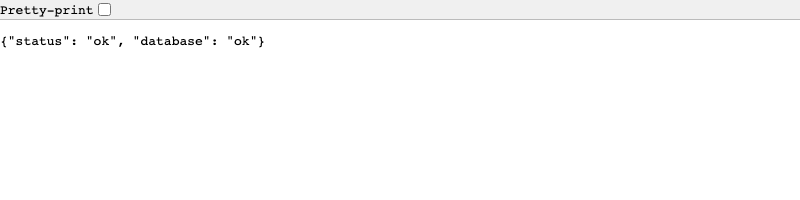
Verify it works. Open http://localhost:8050/health/ — you should see:
{"status": "ok", "database": "ok"}
And browse the interactive API docs at http://localhost:8050/api/docs/ — Swagger UI, auto-generated from your models. It'll be empty of inventory endpoints until the next step.
Step 2: Create your models
Create a Django app for the inventory data:
uv run python manage.py startapp inventory apps/inventory
Fix the app config
Edit apps/inventory/apps.py — you must set name to "apps.inventory":
from django.apps import AppConfig


class InventoryConfig(AppConfig):
    default_auto_field = "django.db.models.BigAutoField"
    name = "apps.inventory"
    verbose_name = "Inventory"
Add the models
Replace apps/inventory/models.py. Three models: Category, Supplier, and Item (an item belongs to a category and, optionally, a supplier):
from decimal import Decimal

from django.db import models


class Category(models.Model):
    name = models.CharField(max_length=100)
    description = models.TextField(blank=True, default="")
    created_at = models.DateTimeField(auto_now_add=True)

    class Meta:
        verbose_name_plural = "categories"
        ordering = ["name"]

    def __str__(self):
        return self.name


class Supplier(models.Model):
    name = models.CharField(max_length=200)
    contact_email = models.EmailField(blank=True, default="")
    lead_time_days = models.PositiveIntegerField(default=7)
    is_active = models.BooleanField(default=True)
    created_at = models.DateTimeField(auto_now_add=True)

    class Meta:
        ordering = ["name"]

    def __str__(self):
        return self.name


class Item(models.Model):
    class Status(models.TextChoices):
        ACTIVE = "active", "Active"
        DISCONTINUED = "discontinued", "Discontinued"
        BACKORDERED = "backordered", "Backordered"

    name = models.CharField(max_length=200)
    sku = models.CharField(max_length=50, unique=True)
    category = models.ForeignKey(Category, on_delete=models.CASCADE, related_name="items")
    supplier = models.ForeignKey(
        Supplier, on_delete=models.SET_NULL, null=True, blank=True, related_name="items"
    )
    quantity = models.PositiveIntegerField(default=0)
    reorder_threshold = models.PositiveIntegerField(default=0)
    unit_price = models.DecimalField(max_digits=10, decimal_places=2, default=Decimal("0.00"))
    status = models.CharField(max_length=20, choices=Status.choices, default=Status.ACTIVE)
    is_active = models.BooleanField(default=True)
    description = models.TextField(blank=True, default="")
    created_at = models.DateTimeField(auto_now_add=True)
    updated_at = models.DateTimeField(auto_now=True)

    class Meta:
        ordering = ["-created_at"]

    def __str__(self):
        return f"{self.sku} · {self.name}"

    @property
    def is_low_stock(self) -> bool:
        """True when on-hand quantity has fallen to or below the reorder threshold."""
        return self.quantity <= self.reorder_threshold

    @property
    def stock_value(self) -> Decimal:
        """On-hand quantity valued at unit price."""
        return self.unit_price * self.quantity
is_low_stock and stock_value are plain Python properties — not database columns. We'll expose them read-only through the API in the next step, which is a handy trick: computed values the frontend can just read.
Register the app
Add "apps.inventory" to INSTALLED_APPS in config/settings/base.py:
INSTALLED_APPS = [
    # ...existing custom apps...
    "apps.website",
    "apps.inventory",  # Add this line
    # Django built-in apps
    "django.contrib.admin",
    # ...
]
Run migrations
uv run python manage.py makemigrations inventory
uv run python manage.py migrate
Step 3: Create CRUDViews with the API enabled
This is the key step. Setting enable_api = True on a CRUDView auto-generates REST endpoints alongside the HTML views — no serializers, no viewsets, no router config.
Replace apps/inventory/views.py:
from django.contrib.auth.mixins import LoginRequiredMixin

from apps.smallstack.crud import Action, CRUDView
from apps.smallstack.displays import TableDisplay

from .models import Category, Item, Supplier

_ACTIONS = [Action.LIST, Action.CREATE, Action.DETAIL, Action.UPDATE, Action.DELETE]


class CategoryCRUDView(CRUDView):
    model = Category
    fields = ["name", "description"]
    url_base = "inventory/categories"
    paginate_by = 25
    mixins = [LoginRequiredMixin]
    displays = [TableDisplay]
    actions = _ACTIONS
    enable_api = True
    search_fields = ["name"]
    api_extra_fields = ["created_at"]


class SupplierCRUDView(CRUDView):
    model = Supplier
    fields = ["name", "contact_email", "lead_time_days", "is_active"]
    url_base = "inventory/suppliers"
    paginate_by = 25
    mixins = [LoginRequiredMixin]
    displays = [TableDisplay]
    actions = _ACTIONS
    enable_api = True
    search_fields = ["name", "contact_email"]
    filter_fields = ["is_active"]
    api_extra_fields = ["created_at"]


class ItemCRUDView(CRUDView):
    model = Item
    fields = [
        "name", "sku", "category", "supplier", "quantity",
        "reorder_threshold", "unit_price", "status", "is_active", "description",
    ]
    url_base = "inventory/items"
    paginate_by = 25
    mixins = [LoginRequiredMixin]
    displays = [TableDisplay]
    actions = _ACTIONS
    enable_api = True
    search_fields = ["name", "sku", "description"]
    filter_fields = ["category", "supplier", "status", "is_active"]
    # Model properties can be exposed read-only alongside real fields:
    api_extra_fields = ["is_low_stock", "stock_value", "created_at", "updated_at"]
    api_expand_fields = ["category", "supplier"]
    # Only real DB columns are aggregatable (stock_value is a property, so it's not here):
    api_aggregate_fields = ["quantity", "unit_price"]
We use LoginRequiredMixin (not staff-only) so any authenticated user — including the non-admin demo user — can use the API.
What enable_api = True generates (same shape for every model):
| Method | URL | Purpose |
|---|---|---|
| GET | /api/inventory/items/ |
List items (paginated) |
| POST | /api/inventory/items/ |
Create an item |
| GET | /api/inventory/items/<id>/ |
Get one item |
| PATCH / PUT | /api/inventory/items/<id>/ |
Update an item |
| DELETE | /api/inventory/items/<id>/ |
Delete an item |
Plus, for free, on the list endpoint:
- Search (
search_fields) —?q=drillruns SmallStack's multi-field search: a case-insensitive substring match across allsearch_fieldsat once (here name, SKU, and description), OR-ed together.?q=hexfinds items by name,?q=TL-finds them by SKU — one box, every field. - Filter (
filter_fields) —?status=active&category=2is exact matching on a single field. This is a different tool from search:?status=actmatches nothing (no substring, no fuzzy). Use search to find, filters to narrow. - Ordering —
?ordering=-unit_price - FK expansion —
?expand=category,supplierreturns{"id": 1, "name": "…"}instead of a bare id - Pagination —
?page=2&page_size=25 - Aggregation —
?sum=quantity,?avg=unit_price,?count_by=status
Wire the URLs
Create apps/inventory/urls.py:
from .views import CategoryCRUDView, ItemCRUDView, SupplierCRUDView

app_name = "inventory"

urlpatterns = [
    *CategoryCRUDView.get_urls(),
    *SupplierCRUDView.get_urls(),
    *ItemCRUDView.get_urls(),
]
Add it to config/urls.py (before the website include):
urlpatterns = [
    # Inventory CRUD + API
    path("", include("apps.inventory.urls")),
    # Project pages
    path("", include("apps.website.urls")),
    # ...rest of URLs...
]
Step 4: Verify the API with a token
SmallStack ships token authentication out of the box. Instead of a hardcoded token, we'll use the login endpoint — the same one the React app will use. Exchange credentials for a bearer token:
# Mint a token by logging in
curl -s -X POST http://localhost:8050/api/auth/token/ \
  -H "Content-Type: application/json" \
  -d '{"username": "admin", "password": "admin"}'
# → {"token": "…"}
Save that token in a shell variable and create a couple of records so the dashboard has something to show:
TOKEN=<paste-the-token>

# A category
curl -s -X POST http://localhost:8050/api/inventory/categories/ \
  -H "Authorization: Bearer $TOKEN" -H "Content-Type: application/json" \
  -d '{"name": "Tools", "description": "Hand and power tools"}'

# An item (category id 1) that is low on stock
curl -s -X POST http://localhost:8050/api/inventory/items/ \
  -H "Authorization: Bearer $TOKEN" -H "Content-Type: application/json" \
  -d '{"name": "Cordless Drill 18V", "sku": "TL-DRILL18", "category": 1,
       "quantity": 9, "reorder_threshold": 10, "unit_price": "129.00", "status": "active"}'

# List items, expanding the category, and see the computed fields
curl -s "http://localhost:8050/api/inventory/items/?expand=category" \
  -H "Authorization: Bearer $TOKEN"
Expected list response — note the standard envelope, the expanded category, and the read-only is_low_stock / stock_value:
{
  "count": 1, "page": 1, "total_pages": 1, "next": null, "previous": null,
  "results": [
    {
      "id": 1, "name": "Cordless Drill 18V", "sku": "TL-DRILL18",
      "category": {"id": 1, "name": "Tools"}, "supplier": null,
      "quantity": 9, "reorder_threshold": 10, "unit_price": "129.00",
      "status": "active", "is_active": true,
      "is_low_stock": true, "stock_value": "1161.00",
      "created_at": "…", "updated_at": "…"
    }
  ]
}
Add a few more items via curl (or later through the app) so the dashboard looks alive.
Step 5: Scaffold the React frontend
Open a new terminal. From the inventory-app directory:
npm create vite@latest frontend -- --template react
cd frontend
npm install
npm install react-router-dom
# Install the SmallStack client that ships with your backend (local path, no registry):
npm install ../backend/clients/js
Point the app at the backend. Create frontend/.env:
VITE_API_URL=http://localhost:8050
That's it — no token in .env. The app gets its token by logging in, and stores it in localStorage.
Step 6: The API client — provided by SmallStack
You could hand-roll a fetch wrapper, but SmallStack ships one. The smallstack-sdk-js client you
installed gives you token auth, a generic api() call, and a resource() CRUD helper that throws an
ApiError (with parsed field errors) on failure. Create src/api/client.js to configure it and expose
one resource per model:
import { SmallStackClient } from 'smallstack-sdk-js'

// baseUrl is the backend origin; `persist` keeps the token in localStorage across reloads.
export const client = new SmallStackClient({
  baseUrl: import.meta.env.VITE_API_URL,
  persist: true,
})

// Each CRUDView is one resource: list / get / create / update / remove.
export const api = {
  items: client.resource('/api/inventory/items'),
  categories: client.resource('/api/inventory/categories'),
  suppliers: client.resource('/api/inventory/suppliers'),
}

// Helpers for expanded FK fields ({id, name}) vs bare ids.
export const fkId = (v) => (v == null ? '' : typeof v === 'object' ? v.id : v)
export const fkName = (v, fallback = '—') =>
  v == null ? fallback : typeof v === 'object' ? v.name : `#${v}`
That's the whole client. What the SDK handles for you:
- Token auth + persistence —
client.auth.login/me/logout; withpersist: truethe token is stored and restored automatically, so a refresh keeps you signed in. resource(base)—list(params),get(id),create(data),update(id, data),remove(id). On a non-2xx response these throwApiError, which carries.status,.data, and — for validation errors — a ready-made.fieldErrorsmap ({ sku: ["Item with this Sku already exists."] }).- PATCH for updates (partial), 204 handling for delete, query-string building — all built in.
Prefer to see it done by hand? The Svelte tutorial hand-rolls the equivalent ~40-line client so you can see exactly what the SDK is doing under the hood.
Step 7: Authentication — done right
Rather than a hardcoded token, we log in and hold a real session. Create an auth context.
Create src/lib/AuthContext.jsx:
import { createContext, useContext, useEffect, useState } from 'react'
import { client } from '../api/client'

const AuthContext = createContext(null)

export function AuthProvider({ children }) {
  const [user, setUser] = useState(null)
  const [ready, setReady] = useState(false)

  // On startup the SDK has already restored any persisted token (persist: true) —
  // try to load the current user; a 401 just means "not signed in".
  useEffect(() => {
    async function restore() {
      const res = await client.auth.me()
      if (res.ok) setUser(res.data)
      setReady(true)
    }
    restore()
  }, [])

  async function login(username, password) {
    const res = await client.auth.login(username, password) // stores + persists the token on success
    if (!res.ok) throw new Error(res.data?.error || 'Login failed')
    const me = await client.auth.me()
    setUser(me.data)
  }

  async function logout() {
    await client.auth.logout() // clears the token + localStorage
    setUser(null)
  }

  return (
    <AuthContext.Provider value={{ user, ready, login, logout }}>
      {children}
    </AuthContext.Provider>
  )
}

export const useAuth = () => useContext(AuthContext)
Create src/components/ProtectedRoute.jsx — redirects to the login page when there's no user:
import { Navigate } from 'react-router-dom'
import { useAuth } from '../lib/AuthContext'

export default function ProtectedRoute({ children }) {
  const { user, ready } = useAuth()
  if (!ready) return <p>Loading…</p>
  return user ? children : <Navigate to="/login" replace />
}
Create src/pages/LoginPage.jsx:
import { useState } from 'react'
import { useNavigate } from 'react-router-dom'
import { useAuth } from '../lib/AuthContext'
import ErrorDisplay from '../components/ErrorDisplay'

export default function LoginPage() {
  const { login } = useAuth()
  const navigate = useNavigate()
  const [username, setUsername] = useState('admin')
  const [password, setPassword] = useState('admin')
  const [error, setError] = useState(null)
  const [busy, setBusy] = useState(false)

  async function handleSubmit(e) {
    e.preventDefault()
    setBusy(true)
    setError(null)
    try {
      await login(username, password)
      navigate('/')
    } catch (err) {
      setError(err)
      setBusy(false)
    }
  }

  return (
    <div className="auth-page">
      <h1>Sign in</h1>
      <ErrorDisplay error={error} />
      <form onSubmit={handleSubmit}>
        <div className="form-group">
          <label>Username</label>
          <input type="text" value={username} onChange={(e) => setUsername(e.target.value)} />
        </div>
        <div className="form-group">
          <label>Password</label>
          <input type="password" value={password} onChange={(e) => setPassword(e.target.value)} />
        </div>
        <button type="submit" className="btn" disabled={busy}>
          {busy ? 'Signing in…' : 'Sign in'}
        </button>
      </form>
      <p className="auth-alt">Dev credentials: <code>admin</code> / <code>admin</code> (or <code>demo</code> / <code>demo</code>).</p>
    </div>
  )
}
Step 8: Reusable components
Error display
Create src/components/ErrorDisplay.jsx:
import { ApiError } from 'smallstack-sdk-js'

export default function ErrorDisplay({ error }) {
  if (!error) return null

  // The SDK pre-parses 400 validation errors into error.fieldErrors
  if (error instanceof ApiError && error.fieldErrors) {
    return (
      <div className="error-box">
        <strong>Validation Errors:</strong>
        <ul>
          {Object.entries(error.fieldErrors).map(([field, messages]) => (
            <li key={field}><strong>{field}:</strong> {messages.join(', ')}</li>
          ))}
        </ul>
      </div>
    )
  }
  if (error instanceof ApiError && error.data?.error) return <div className="error-box">{error.data.error}</div>
  return <div className="error-box">{error.message || 'An error occurred'}</div>
}
SmallStack returns validation errors as {"errors": {"field": ["message"]}}, which maps cleanly to per-field display.
Pagination
Create src/components/Pagination.jsx:
export default function Pagination({ count, next, previous, page, onPageChange }) {
  if (!next && !previous) return null
  return (
    <div className="pagination">
      <button disabled={!previous} onClick={() => onPageChange(page - 1)}>Previous</button>
      <span>Page {page} ({count} total)</span>
      <button disabled={!next} onClick={() => onPageChange(page + 1)}>Next</button>
    </div>
  )
}
Step 9: Build the pages
Dashboard
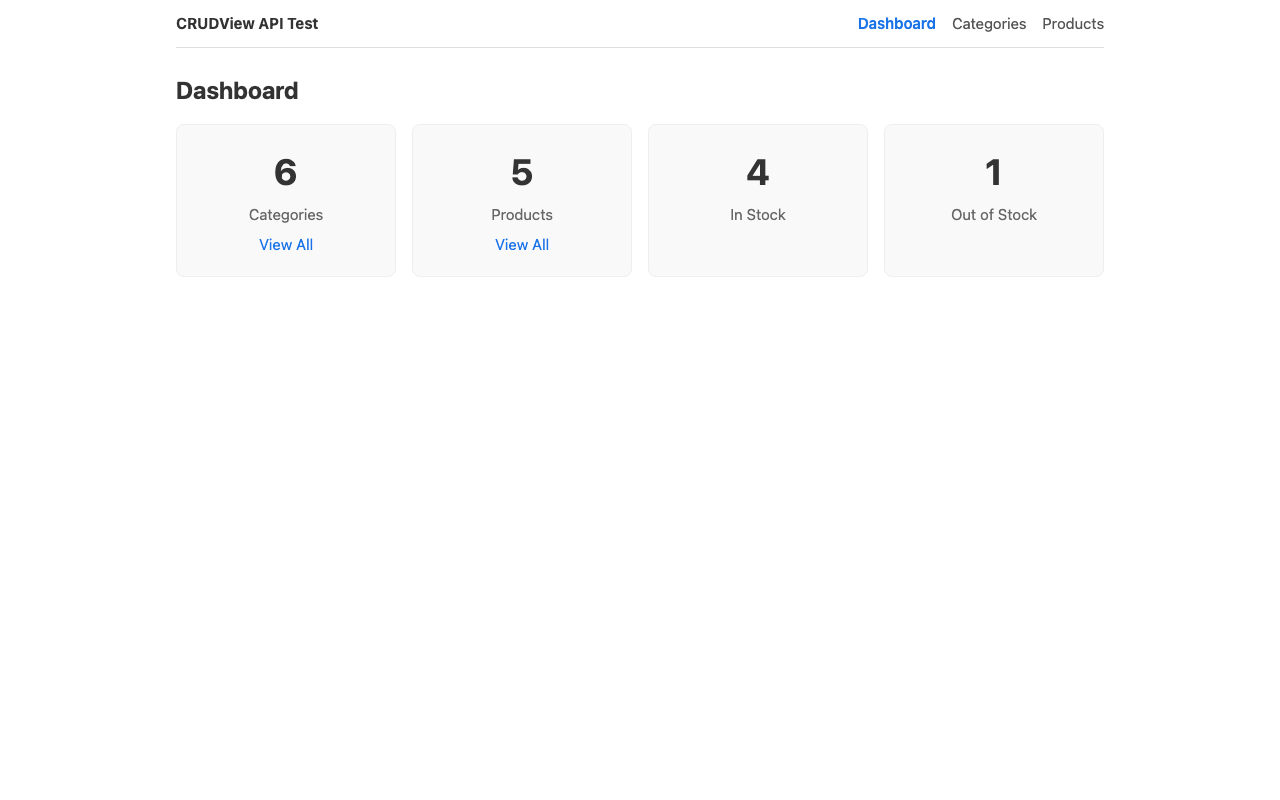
The dashboard is where SmallStack's server-side aggregation shines — the backend computes the stats, so the frontend fetches numbers, not whole tables.
Create src/pages/Dashboard.jsx:
import { useEffect, useState } from 'react'
import { Link } from 'react-router-dom'
import { api, fkName } from '../api/client'
import ErrorDisplay from '../components/ErrorDisplay'

export default function Dashboard() {
  const [stats, setStats] = useState(null)
  const [error, setError] = useState(null)

  useEffect(() => {
    async function load() {
      try {
        const [byStatus, qtyAgg, items] = await Promise.all([
          api.items.list({ count_by: 'status' }),          // group counts
          api.items.list({ sum: 'quantity' }),             // total on-hand
          api.items.list({ page_size: 200, expand: 'category' }), // for low-stock + value
        ])
        const lowStock = items.results.filter((i) => i.is_low_stock)
        const value = items.results.reduce((s, i) => s + parseFloat(i.stock_value || '0'), 0)
        setStats({
          total: byStatus.count,
          counts: byStatus.counts || {},
          onHand: qtyAgg.sum_quantity ?? 0,
          lowStock,
          value,
        })
      } catch (err) {
        setError(err)
      }
    }
    load()
  }, [])

  return (
    <div>
      <h1>Dashboard</h1>
      <ErrorDisplay error={error} />
      {stats ? (
        <>
          <div className="stats-grid">
            <div className="stat-card">
              <h2>{stats.total}</h2><p>Items</p>
              <Link to="/items">View all</Link>
            </div>
            <div className="stat-card">
              <h2>{stats.onHand.toLocaleString()}</h2><p>On-hand units</p>
            </div>
            <div className="stat-card">
              <h2>{stats.lowStock.length}</h2><p>Low stock</p>
            </div>
            <div className="stat-card">
              <h2>${stats.value.toLocaleString(undefined, { maximumFractionDigits: 0 })}</h2>
              <p>Inventory value</p>
            </div>
          </div>

          <h2 style={{ marginTop: 24 }}>Low-stock items</h2>
          <table>
            <thead>
              <tr><th>SKU</th><th>Name</th><th>Category</th><th>On hand</th><th>Reorder at</th></tr>
            </thead>
            <tbody>
              {stats.lowStock.length === 0 ? (
                <tr><td colSpan="5">Nothing low on stock — nice.</td></tr>
              ) : stats.lowStock.map((i) => (
                <tr key={i.id}>
                  <td><Link to={`/items/${i.id}/edit`}>{i.sku}</Link></td>
                  <td>{i.name}</td>
                  <td>{fkName(i.category)}</td>
                  <td>{i.quantity}</td>
                  <td>{i.reorder_threshold}</td>
                </tr>
              ))}
            </tbody>
          </table>
        </>
      ) : !error ? <p>Loading…</p> : null}
    </div>
  )
}
Aggregation beats fetching every page.
?count_by=statusand?sum=quantityreturn real totals across all rows in one request.is_low_stockisn't a database column, so we compute the low-stock list client-side from an expanded fetch — but the headline numbers come straight from the backend.
Items list
This page shows off search (?q=), a status filter, FK expansion, pagination, and low-stock highlighting. Create src/pages/ItemsList.jsx:
import { useEffect, useState } from 'react'
import { Link, useSearchParams } from 'react-router-dom'
import { api, fkName } from '../api/client'
import ErrorDisplay from '../components/ErrorDisplay'
import Pagination from '../components/Pagination'

export default function ItemsList() {
  const [searchParams, setSearchParams] = useSearchParams()
  const [data, setData] = useState(null)
  const [error, setError] = useState(null)
  const [search, setSearch] = useState(searchParams.get('q') || '')

  const page = parseInt(searchParams.get('page') || '1', 10)
  const status = searchParams.get('status') || ''

  async function load() {
    try {
      setError(null)
      const result = await api.items.list({
        page: page > 1 ? page : undefined,
        q: searchParams.get('q') || undefined,      // NOTE: search param is ?q=, not ?search=
        status: status || undefined,
        ordering: 'name',
        expand: 'category,supplier',
      })
      setData(result)
    } catch (err) {
      setError(err)
    }
  }

  useEffect(() => { load() }, [searchParams.toString()])

  async function handleDelete(id) {
    if (!confirm('Delete this item?')) return
    try { await api.items.remove(id); load() } catch (err) { setError(err) }
  }

  function setParam(key, value) {
    const params = Object.fromEntries(searchParams)
    if (value) params[key] = value; else delete params[key]
    delete params.page
    setSearchParams(params)
  }

  function handleSearch(e) {
    e.preventDefault()
    setParam('q', search)
  }

  return (
    <div>
      <div className="page-header">
        <h1>Items</h1>
        <Link to="/items/new" className="btn">+ New Item</Link>
      </div>

      <form onSubmit={handleSearch} className="search-form">
        <input
          type="text"
          placeholder="Search name, SKU, description…"
          value={search}
          onChange={(e) => setSearch(e.target.value)}
        />
        <button type="submit">Search</button>
      </form>

      <div className="filters">
        <select value={status} onChange={(e) => setParam('status', e.target.value)}>
          <option value="">All statuses</option>
          <option value="active">Active</option>
          <option value="backordered">Backordered</option>
          <option value="discontinued">Discontinued</option>
        </select>
      </div>

      <ErrorDisplay error={error} />

      {data ? (
        <>
          <table>
            <thead>
              <tr>
                <th>SKU</th><th>Name</th><th>Category</th><th>Supplier</th>
                <th>Qty</th><th>Unit price</th><th>Status</th><th>Actions</th>
              </tr>
            </thead>
            <tbody>
              {data.results.length === 0 ? (
                <tr><td colSpan="8">No items found.</td></tr>
              ) : data.results.map((item) => (
                <tr key={item.id} style={item.is_low_stock ? { background: '#fff7e6' } : undefined}>
                  <td><Link to={`/items/${item.id}/edit`}>{item.sku}</Link></td>
                  <td>{item.name}</td>
                  <td>{fkName(item.category)}</td>
                  <td>{fkName(item.supplier)}</td>
                  <td>{item.quantity}{item.is_low_stock ? ' ⚠️' : ''}</td>
                  <td>${item.unit_price}</td>
                  <td><span className="badge">{item.status}</span></td>
                  <td>
                    <Link to={`/items/${item.id}/edit`}>Edit</Link>{' | '}
                    <button className="btn-link danger" onClick={() => handleDelete(item.id)}>Delete</button>
                  </td>
                </tr>
              ))}
            </tbody>
          </table>
          <Pagination
            count={data.count} next={data.next} previous={data.previous} page={page}
            onPageChange={(p) => setSearchParams({ ...Object.fromEntries(searchParams), page: p })}
          />
        </>
      ) : !error ? <p>Loading…</p> : null}
    </div>
  )
}
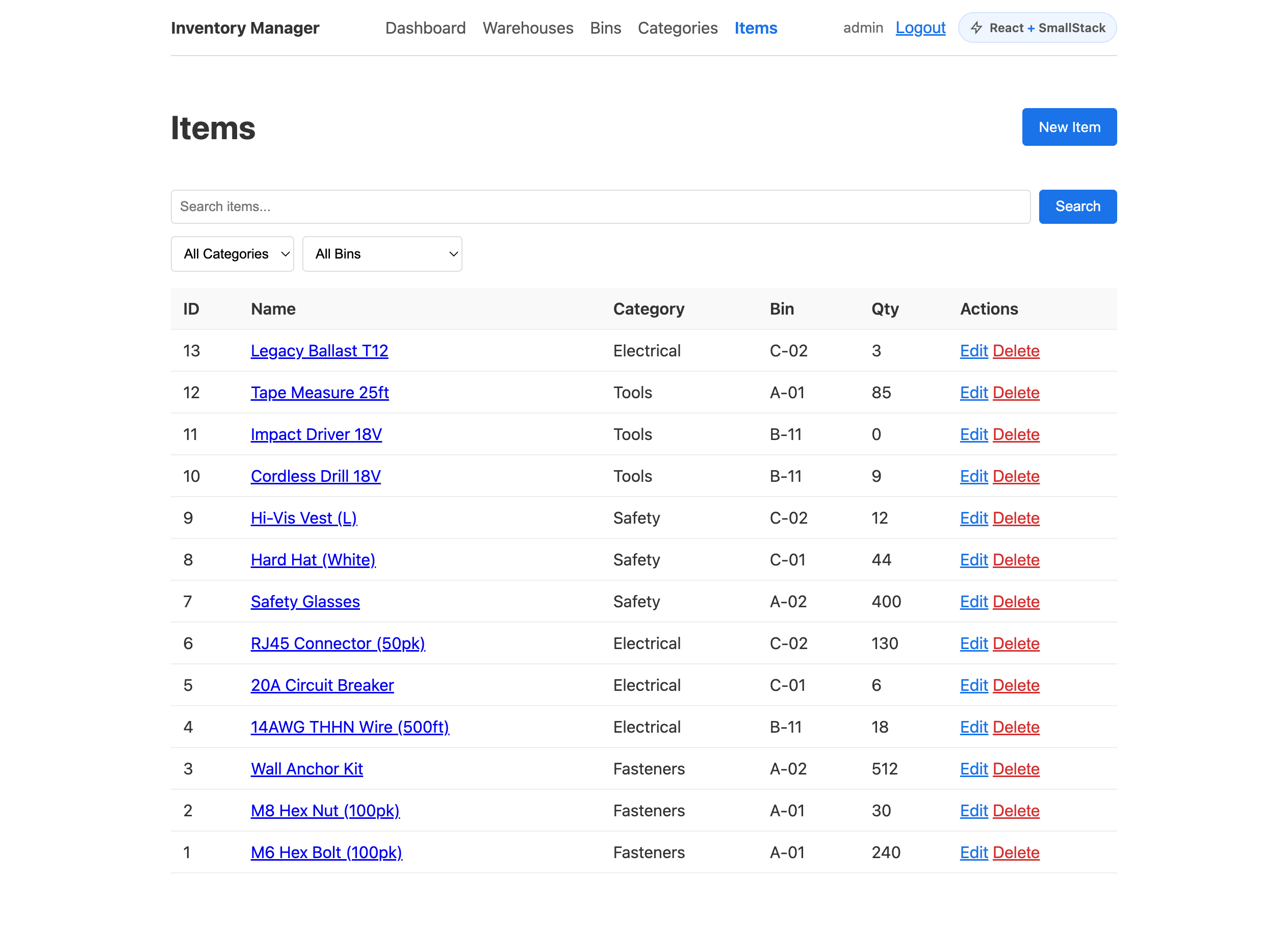
?q=is the search param, not?search=. Unknown query params are silently ignored — so?search=would return every row and your search box would look like it "works" while filtering nothing. When a filter seems to do nothing, check the param name first.
Item form (create + edit)
One component handles both. The category and supplier dropdowns are populated from the API. Create src/pages/ItemForm.jsx:
import { useEffect, useState } from 'react'
import { useNavigate, useParams } from 'react-router-dom'
import { ApiError } from 'smallstack-sdk-js'
import { api, fkId } from '../api/client'
import ErrorDisplay from '../components/ErrorDisplay'

const EMPTY = {
  name: '', sku: '', category: '', supplier: '', quantity: 0,
  reorder_threshold: 0, unit_price: '0.00', status: 'active', is_active: true, description: '',
}

export default function ItemForm() {
  const { id } = useParams()
  const navigate = useNavigate()
  const isEdit = Boolean(id)

  const [form, setForm] = useState(EMPTY)
  const [categories, setCategories] = useState([])
  const [suppliers, setSuppliers] = useState([])
  const [error, setError] = useState(null)
  const [fieldErrors, setFieldErrors] = useState({})
  const [saving, setSaving] = useState(false)

  // Options for the dropdowns
  useEffect(() => {
    api.categories.list({ page_size: 200, ordering: 'name' }).then((r) => setCategories(r.results)).catch(() => {})
    api.suppliers.list({ page_size: 200, ordering: 'name' }).then((r) => setSuppliers(r.results)).catch(() => {})
  }, [])

  // Load the item when editing
  useEffect(() => {
    if (!isEdit) return
    api.items.get(id).then((data) => setForm({
      name: data.name, sku: data.sku,
      category: String(fkId(data.category)),
      supplier: data.supplier ? String(fkId(data.supplier)) : '',
      quantity: data.quantity, reorder_threshold: data.reorder_threshold,
      unit_price: data.unit_price, status: data.status,
      is_active: data.is_active, description: data.description || '',
    })).catch((err) => setError(err))
  }, [id])

  async function handleSubmit(e) {
    e.preventDefault()
    setSaving(true); setError(null); setFieldErrors({})
    const payload = {
      ...form,
      category: parseInt(form.category, 10) || null,
      supplier: form.supplier ? parseInt(form.supplier, 10) : null,
      quantity: Number(form.quantity),
      reorder_threshold: Number(form.reorder_threshold),
    }
    try {
      if (isEdit) await api.items.update(id, payload)
      else await api.items.create(payload)
      navigate('/items')
    } catch (err) {
      if (err instanceof ApiError && err.fieldErrors) setFieldErrors(err.fieldErrors)
      setError(err); setSaving(false)
    }
  }

  const set = (k) => (e) =>
    setForm({ ...form, [k]: e.target.type === 'checkbox' ? e.target.checked : e.target.value })

  return (
    <div>
      <h1>{isEdit ? 'Edit Item' : 'New Item'}</h1>
      <ErrorDisplay error={error} />
      <form onSubmit={handleSubmit}>
        <div className="form-group">
          <label>Name</label>
          <input type="text" value={form.name} onChange={set('name')} />
          {fieldErrors.name && <span className="field-error">{fieldErrors.name.join(', ')}</span>}
        </div>
        <div className="form-group">
          <label>SKU</label>
          <input type="text" value={form.sku} onChange={set('sku')} />
          {fieldErrors.sku && <span className="field-error">{fieldErrors.sku.join(', ')}</span>}
        </div>
        <div className="form-group">
          <label>Category</label>
          <select value={form.category} onChange={set('category')}>
            <option value="">-- Select --</option>
            {categories.map((c) => <option key={c.id} value={c.id}>{c.name}</option>)}
          </select>
          {fieldErrors.category && <span className="field-error">{fieldErrors.category.join(', ')}</span>}
        </div>
        <div className="form-group">
          <label>Supplier</label>
          <select value={form.supplier} onChange={set('supplier')}>
            <option value="">— none —</option>
            {suppliers.map((s) => <option key={s.id} value={s.id}>{s.name}</option>)}
          </select>
        </div>
        <div className="form-group">
          <label>Quantity</label>
          <input type="number" min="0" value={form.quantity} onChange={set('quantity')} />
        </div>
        <div className="form-group">
          <label>Reorder threshold</label>
          <input type="number" min="0" value={form.reorder_threshold} onChange={set('reorder_threshold')} />
        </div>
        <div className="form-group">
          <label>Unit price</label>
          <input type="number" step="0.01" min="0" value={form.unit_price} onChange={set('unit_price')} />
          {fieldErrors.unit_price && <span className="field-error">{fieldErrors.unit_price.join(', ')}</span>}
        </div>
        <div className="form-group">
          <label>Status</label>
          <select value={form.status} onChange={set('status')}>
            <option value="active">Active</option>
            <option value="backordered">Backordered</option>
            <option value="discontinued">Discontinued</option>
          </select>
        </div>
        <div className="form-group">
          <label><input type="checkbox" checked={form.is_active} onChange={set('is_active')} /> Active (stocked)</label>
        </div>
        <div className="form-group">
          <label>Description</label>
          <textarea value={form.description} onChange={set('description')} />
        </div>
        <div className="form-actions">
          <button type="submit" className="btn" disabled={saving}>
            {saving ? 'Saving…' : isEdit ? 'Update' : 'Create'}
          </button>
          <button type="button" onClick={() => navigate('/items')}>Cancel</button>
        </div>
      </form>
    </div>
  )
}
Editing an expanded FK: because
api_expand_fieldsreturnscategory: {"id", "name"}, extract the id when loading a record into the form — thefkId()helper does this. Categories/suppliers are still fetched separately to populate the dropdown options; expansion solves display, not option lists.
Step 10: The "React + SmallStack" badge and About page
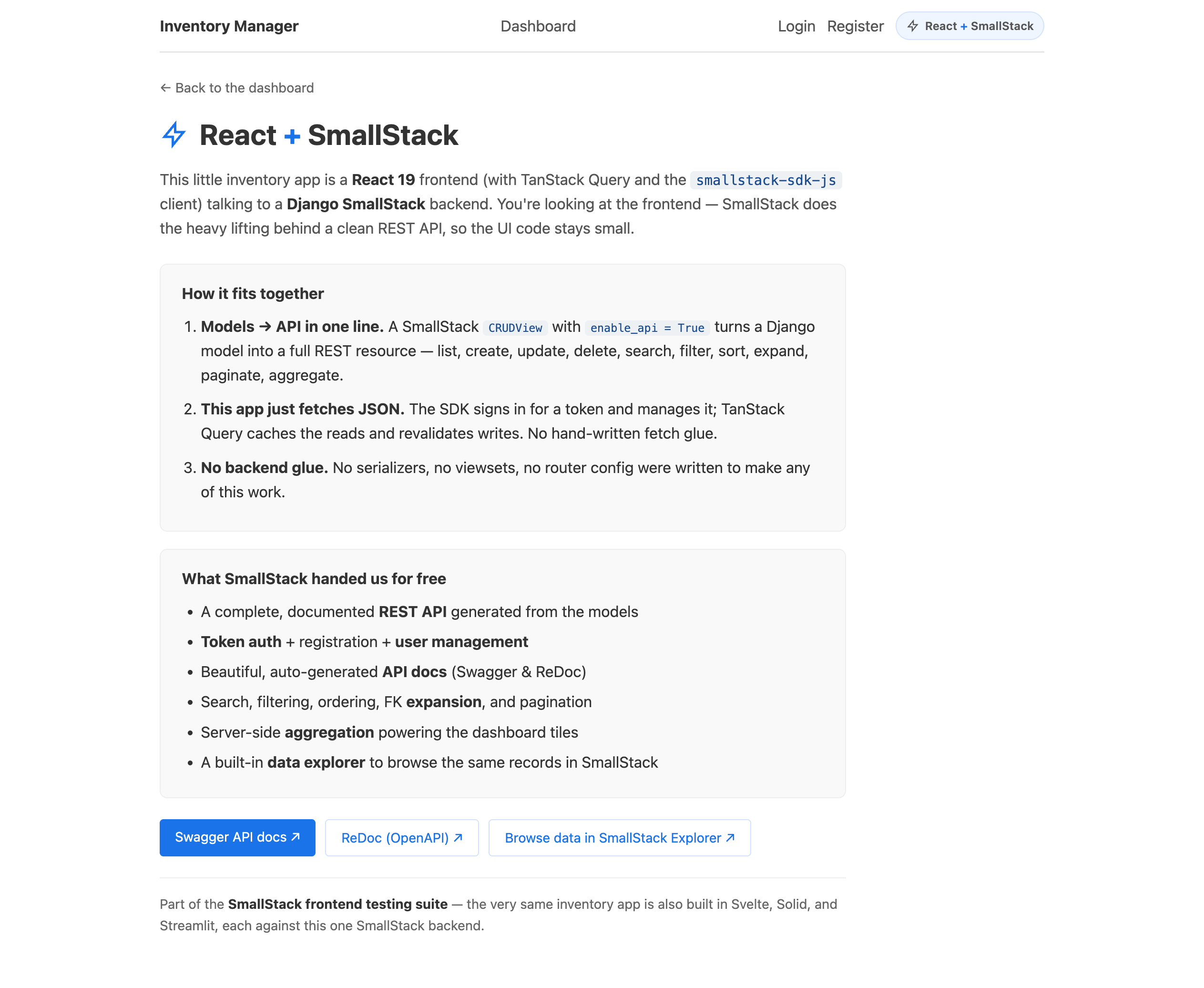
A small touch that makes the app feel finished: an unobtrusive badge that links to a one-page explainer of how the frontend and SmallStack fit together.
Create src/components/BuiltWith.jsx:
import { Link } from 'react-router-dom'

export default function BuiltWith({ framework = 'React' }) {
  return (
    <Link className="built-with" to="/about" title="How the frontend and SmallStack fit together">
      <svg viewBox="0 0 24 24" width="14" height="14" fill="none" stroke="currentColor" strokeWidth="2" aria-hidden="true">
        <path d="M13 10V3L4 14h7v7l9-11h-7z" />
      </svg>
      <span>{framework} <span className="bw-x">+</span> SmallStack</span>
    </Link>
  )
}
Create src/pages/About.jsx (a public page — no login required):
import { Link } from 'react-router-dom'
const backend = (import.meta.env.VITE_API_URL || 'http://localhost:8050').replace(/\/+$/, '')
export default function About() {
return (
<div className="about">
<Link className="about-back" to="/">← Back to the dashboard</Link>
<h1>React <span style={{ color: '#1a73e8' }}>+</span> SmallStack</h1>
<p>
This inventory app is a <strong>React</strong> frontend talking to a <strong>Django SmallStack</strong>{' '}
backend. SmallStack does the heavy lifting behind a clean REST API, so the UI code stays small.
</p>
<h3>How it fits together</h3>
<ol>
<li><strong>Models → API in one line.</strong> A CRUDView with <code>enable_api = True</code> becomes a full REST resource.</li>
<li><strong>This app just fetches JSON.</strong> It signs in for a token, then reads and writes those endpoints.</li>
<li><strong>No backend glue.</strong> No serializers, no viewsets, no router config.</li>
</ol>
<h3>What SmallStack handed us for free</h3>
<ul>
<li>A complete, documented REST API generated from the models</li>
<li>Token auth + registration + user management</li>
<li>Auto-generated API docs — Swagger & ReDoc</li>
<li>Search, filtering, ordering, FK expansion, and pagination</li>
<li>Server-side aggregation powering the dashboard</li>
<li>A built-in data explorer to browse the same records</li>
</ul>
<div className="about-links">
<a className="btn" href={`${backend}/api/docs/`} target="_blank" rel="noreferrer">Swagger API docs ↗</a>
<a className="btn btn-secondary" href={`${backend}/api/redoc/`} target="_blank" rel="noreferrer">ReDoc (OpenAPI) ↗</a>
<a className="btn btn-secondary" href={`${backend}/smallstack/explorer/`} target="_blank" rel="noreferrer">SmallStack Explorer ↗</a>
</div>
</div>
)
}
Step 11: Wire up the app
Replace src/main.jsx to wrap the app in the auth provider:
import { StrictMode } from 'react'
import { createRoot } from 'react-dom/client'
import { AuthProvider } from './lib/AuthContext'
import App from './App.jsx'
import './index.css'

createRoot(document.getElementById('root')).render(
  <StrictMode>
    <AuthProvider>
      <App />
    </AuthProvider>
  </StrictMode>,
)
Replace src/App.jsx — the nav shows the current user and a logout button, protected routes are wrapped in ProtectedRoute, and /login and /about are public:
import { BrowserRouter, Routes, Route, NavLink } from 'react-router-dom'
import { useAuth } from './lib/AuthContext'
import ProtectedRoute from './components/ProtectedRoute'
import BuiltWith from './components/BuiltWith'
import Dashboard from './pages/Dashboard'
import LoginPage from './pages/LoginPage'
import ItemsList from './pages/ItemsList'
import ItemForm from './pages/ItemForm'
import About from './pages/About'
import './App.css'

function Nav() {
  const { user, logout } = useAuth()
  return (
    <nav className="topnav">
      <span className="brand">Inventory Manager</span>
      <NavLink to="/">Dashboard</NavLink>
      {user && <NavLink to="/items">Items</NavLink>}
      <div className="nav-right">
        {user ? (
          <>
            <span className="nav-user">{user.username}</span>
            <button className="btn-link" onClick={logout}>Logout</button>
          </>
        ) : (
          <NavLink to="/login">Login</NavLink>
        )}
        <BuiltWith framework="React" />
      </div>
    </nav>
  )
}

export default function App() {
  return (
    <BrowserRouter>
      <div className="app">
        <Nav />
        <main className="content">
          <Routes>
            <Route path="/" element={<ProtectedRoute><Dashboard /></ProtectedRoute>} />
            <Route path="/login" element={<LoginPage />} />
            <Route path="/about" element={<About />} />
            <Route path="/items" element={<ProtectedRoute><ItemsList /></ProtectedRoute>} />
            <Route path="/items/new" element={<ProtectedRoute><ItemForm /></ProtectedRoute>} />
            <Route path="/items/:id/edit" element={<ProtectedRoute><ItemForm /></ProtectedRoute>} />
          </Routes>
        </main>
      </div>
    </BrowserRouter>
  )
}
Replace src/index.css:
* { box-sizing: border-box; }
body {
  margin: 0;
  font-family: system-ui, -apple-system, sans-serif;
  font-size: 15px; line-height: 1.5; color: #333;
}
h1, h2 { margin: 0 0 12px; }
h1 { font-size: 24px; }
a { color: #1a73e8; }
code { background: #eef1f4; color: #1a4b8e; padding: 1px 5px; border-radius: 4px; }
Replace src/App.css:
.app { max-width: 960px; margin: 0 auto; padding: 0 16px; }

.topnav {
  display: flex; gap: 16px; align-items: center;
  padding: 12px 0; border-bottom: 1px solid #ddd; margin-bottom: 24px; flex-wrap: wrap;
}
.topnav .brand { font-weight: bold; margin-right: auto; }
.topnav a { text-decoration: none; color: #555; }
.topnav a.active { color: #1a73e8; font-weight: 600; }
.nav-right { display: flex; gap: 12px; align-items: center; }
.nav-user { color: #666; font-size: 14px; }

.page-header { display: flex; justify-content: space-between; align-items: center; margin-bottom: 16px; }

.btn {
  background: #1a73e8; color: white; border: none; padding: 8px 16px;
  border-radius: 4px; cursor: pointer; text-decoration: none; font-size: 14px;
}
.btn:hover { background: #1557b0; }
.btn:disabled { opacity: 0.6; cursor: not-allowed; }
.btn-secondary { background: #fff; color: #1a73e8; border: 1px solid #d3e3fd; }
.btn-secondary:hover { background: #f0f6ff; }
.btn-link { background: none; border: none; cursor: pointer; padding: 0; text-decoration: underline; font-size: inherit; color: #1a73e8; }
.btn-link.danger { color: #d32f2f; }

table { width: 100%; border-collapse: collapse; margin-bottom: 16px; }
th, td { text-align: left; padding: 8px 12px; border-bottom: 1px solid #eee; }
th { font-weight: 600; background: #f9f9f9; }

.search-form { display: flex; gap: 8px; margin-bottom: 12px; }
.search-form input { flex: 1; padding: 8px; border: 1px solid #ddd; border-radius: 4px; }
.filters { display: flex; gap: 8px; margin-bottom: 16px; }
.filters select { padding: 8px; border: 1px solid #ddd; border-radius: 4px; }

.pagination { display: flex; gap: 12px; align-items: center; justify-content: center; padding: 12px 0; }

.form-group { margin-bottom: 16px; }
.form-group label { display: block; font-weight: 600; margin-bottom: 4px; }
.form-group input[type="text"], .form-group input[type="number"],
.form-group input[type="password"], .form-group textarea, .form-group select {
  width: 100%; padding: 8px; border: 1px solid #ddd; border-radius: 4px; box-sizing: border-box;
}
.form-group textarea { min-height: 80px; }
.form-actions { display: flex; gap: 8px; }
.field-error { color: #d32f2f; font-size: 13px; display: block; margin-top: 4px; }

.error-box { background: #fce4ec; color: #c62828; padding: 12px 16px; border-radius: 4px; margin-bottom: 16px; }
.error-box ul { margin: 4px 0 0; padding-left: 20px; }

.stats-grid { display: grid; grid-template-columns: repeat(auto-fit, minmax(180px, 1fr)); gap: 16px; margin-top: 16px; }
.stat-card { background: #f9f9f9; border: 1px solid #eee; border-radius: 8px; padding: 20px; text-align: center; }
.stat-card h2 { font-size: 32px; margin: 0; }
.stat-card p { color: #666; margin: 4px 0 8px; }
.stat-card a { color: #1a73e8; text-decoration: none; }

.badge { background: #e3f2fd; color: #1565c0; padding: 2px 8px; border-radius: 4px; font-size: 12px; font-weight: 600; text-transform: capitalize; }

.auth-page { max-width: 380px; margin: 40px auto; }
.auth-alt { margin-top: 16px; color: #666; font-size: 14px; }

/* Badge + About */
.built-with {
  display: inline-flex; align-items: center; gap: 6px; padding: 5px 10px;
  border-radius: 999px; border: 1px solid #d3e3fd; background: #f0f6ff;
  color: #1a73e8; font-size: 12px; font-weight: 600; text-decoration: none;
}
.built-with:hover { border-color: #1a73e8; background: #e3f2fd; }
.about { max-width: 720px; }
.about-back { display: inline-block; margin-bottom: 12px; color: #666; text-decoration: none; }
.about-links { display: flex; flex-wrap: wrap; gap: 10px; margin-top: 20px; }
Step 12: Run it
Terminal 1 — backend:
cd inventory-app/backend
make run PORT=8050
Terminal 2 — frontend:
cd inventory-app/frontend
npm run dev
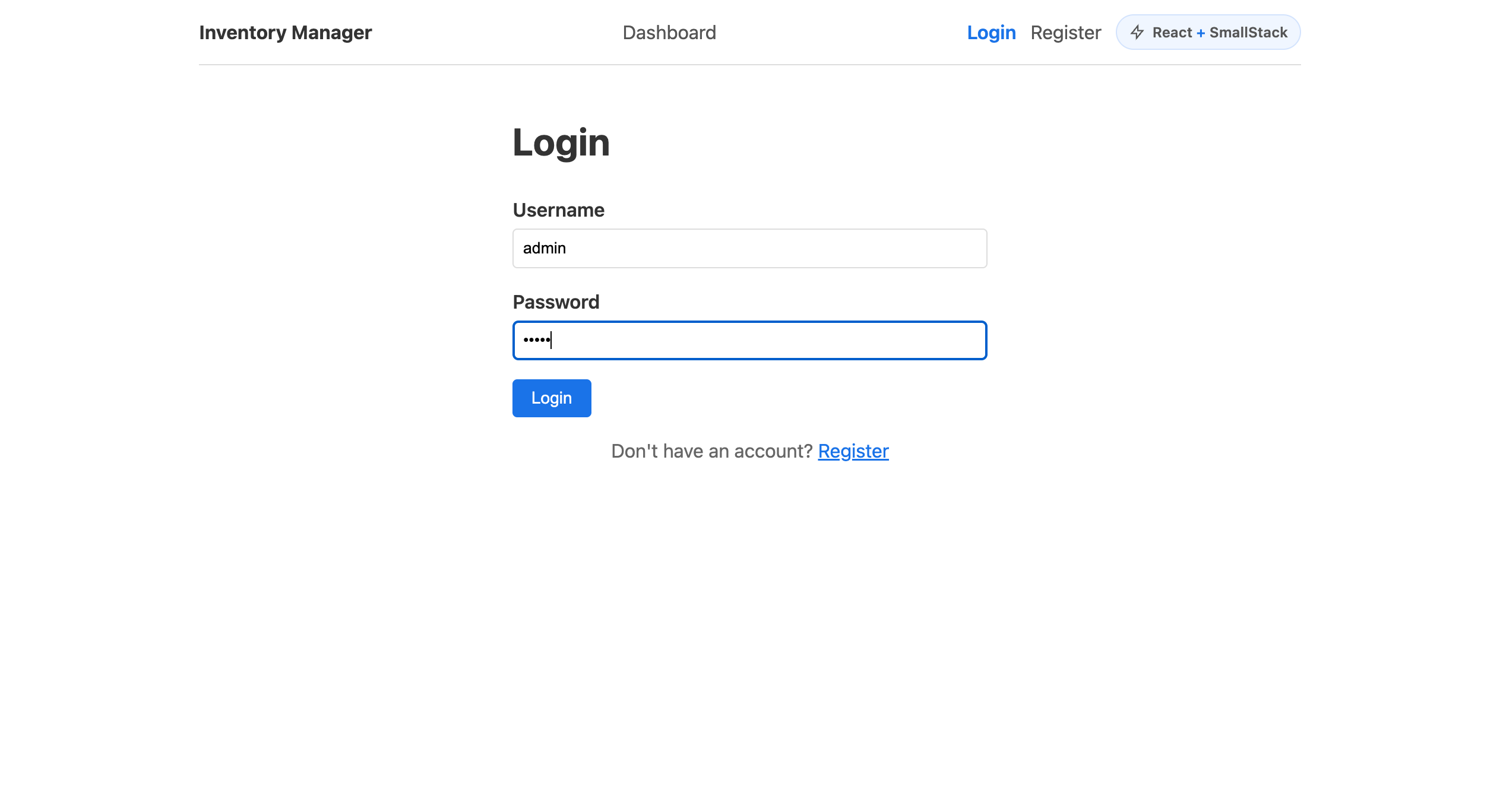
Open http://localhost:5173. You'll land on the login page — sign in with admin / admin (or demo / demo) and the dashboard loads with live data from the API.
API Reference
Everything below comes from enable_api = True — no serializers, no viewsets.
Endpoints
| Method | URL | Body | Response |
|---|---|---|---|
| GET | /api/{url_base}/ |
— | {"count", "page", "total_pages", "next", "previous", "results": [...]} |
| POST | /api/{url_base}/ |
JSON object | 201 with created object |
| GET | /api/{url_base}/<id>/ |
— | JSON object |
| PATCH | /api/{url_base}/<id>/ |
Partial JSON | Updated object |
| DELETE | /api/{url_base}/<id>/ |
— | 204 No Content |
Auth
| Method | URL | Purpose |
|---|---|---|
| POST | /api/auth/token/ |
Exchange {username, password} for {token} |
| GET | /api/auth/me/ |
Current user |
| POST | /api/auth/logout/ |
Invalidate the token |
Send the token as Authorization: Bearer <token> on every request.
Query parameters (list endpoint)
| Param | Example | Requires |
|---|---|---|
?q=term |
?q=drill |
search_fields |
?field=value |
?status=active&category=2 |
filter_fields |
?ordering=field |
?ordering=-unit_price |
— |
?expand=f1,f2 |
?expand=category,supplier |
api_expand_fields |
?page=N&page_size=N |
?page=2&page_size=25 |
automatic |
?count_by=field |
?count_by=status |
field in filter_fields |
?sum=field ?avg=field |
?sum=quantity |
field in api_aggregate_fields |
Error responses
// 400 — validation (per-field)
{"errors": {"sku": ["Item with this Sku already exists."]}}
// 401 — bad/missing token
{"error": "Invalid token"}
// 404 — not found
{"error": "Not found"}
Tips and gotchas
Search (?q=) vs. filtering — they're different tools
The search box uses ?q=, which is SmallStack's powerful multi-field search: a case-insensitive substring match across every field in search_fields (name, SKU, description), OR-ed together. That's why the one search box finds items whether the term is in the name (?q=hex), the SKU (?q=TL-), or the description.
The dropdowns use filters (?status=, ?category=) — exact matches on a single field. Search finds; filters narrow. Reach for search_fields when you want a Google-style box, and filter_fields for precise facets.
Two gotchas, both stemming from the API silently ignoring params it doesn't understand:
- The search param is
?q=, not?search=.?search=drillreturns everything (the unknown param is dropped), so the box looks like it works while filtering nothing. - An invalid filter value is ignored, not rejected.
?status=actreturns all rows, not zero. When a filter seems to do nothing, check the param name and value first.
FK expansion eliminates client-side joins
With api_expand_fields = ["category", "supplier"], FK fields arrive as {"id", "name"} — display with fkName(item.category). When loading a record into a form, extract the id with fkId(...). Expansion solves display; you still fetch the options list separately for dropdowns.
Server-side aggregation replaces all-page fetching
Use ?count_by=, ?sum=, ?avg= instead of fetching every page to compute stats in JavaScript (which only sees the first page). count_by fields must be in filter_fields; sum/avg fields must be in api_aggregate_fields (real DB columns only — not properties).
Model properties as read-only API fields
is_low_stock and stock_value are Python properties, not columns. Listing them in api_extra_fields exposes them read-only in responses — great for computed values the frontend shouldn't have to recalculate (though you can't filter or aggregate on them server-side).
Auth done right
No hardcoded token: the app logs in, stores the bearer token in localStorage, and restores the session on reload via /api/auth/me/. ProtectedRoute bounces anonymous users to /login. For a public preview, use the non-staff demo user so the Django admin stays protected.
CORS in development
Leave CORS_ALLOWED_ORIGINS empty in .env — dev settings auto-allow any localhost:* origin. If you set explicit origins, include your frontend's exact origin or every request will fail (symptom: the app hangs on "Loading…" while curl works).
PATCH for partial updates
Use PATCH (not PUT) — send only the fields you're changing: await api.items.update(id, { quantity: 5 }).
File structure
inventory-app/
├── backend/                          # SmallStack clone
│   ├── apps/inventory/
│   │   ├── models.py                 # Category, Supplier, Item (+ is_low_stock/stock_value)
│   │   ├── views.py                  # CRUDViews with enable_api=True
│   │   ├── urls.py                   # URL wiring
│   │   └── apps.py                   # name = "apps.inventory"
│   ├── config/settings/base.py       # INSTALLED_APPS
│   ├── config/urls.py                # include inventory URLs
│   └── .env                          # empty CORS in dev
│
└── frontend/                         # React + Vite
    ├── .env                          # VITE_API_URL=http://localhost:8050  (no token!)
    └── src/
        ├── api/client.js             # configures the SmallStack SDK client + resources
        ├── lib/AuthContext.jsx       # login/logout/me, token in localStorage
        ├── components/
        │   ├── ProtectedRoute.jsx    # redirects anonymous users to /login
        │   ├── ErrorDisplay.jsx      # renders API validation errors
        │   ├── Pagination.jsx        # page navigation
        │   └── BuiltWith.jsx         # "React + SmallStack" badge → /about
        ├── pages/
        │   ├── LoginPage.jsx         # token login flow
        │   ├── Dashboard.jsx         # aggregation stats + low-stock
        │   ├── ItemsList.jsx         # search + filter + expand + pagination
        │   ├── ItemForm.jsx          # create + edit, FK selects, choice, decimal
        │   └── About.jsx             # "look what you get" explainer
        ├── App.jsx                   # router + nav + auth
        ├── App.css                   # styles
        └── index.css                 # base styles
That's a complete, authenticated CRUD app against a SmallStack backend — and almost all of the "backend" was one line per model. The same inventory app is also built with Svelte in this tutorial series.